
The betwinner app for the Philippines
- Open betwinner.com/mobile on your Android phone.
- Download the APK (Google Play does not list real-money betting for PH). Enable "Install from unknown sources".
- iOS: install from the Apple App Store where region-available.
- Open, log in, deposit ₱75+ and the welcome bonus auto-applies.
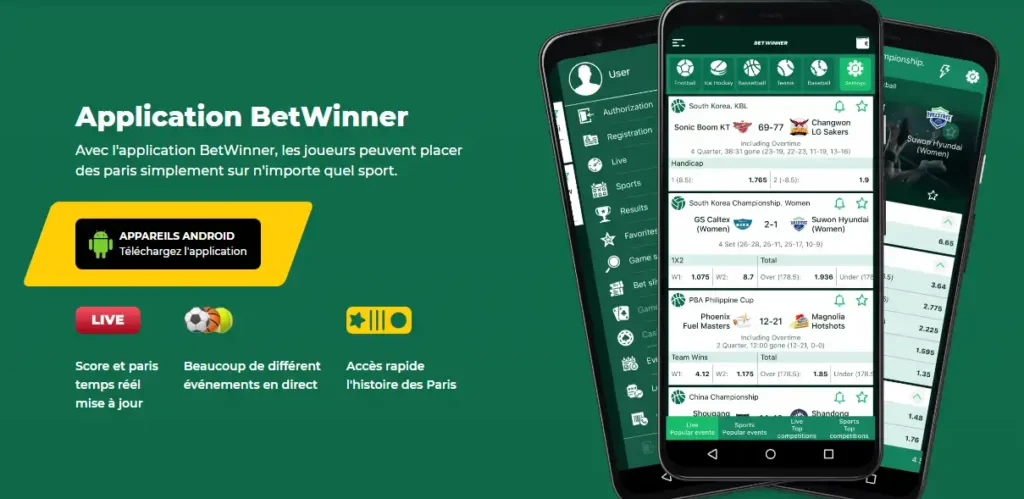
Install the betwinner app
Three ways to install — pick whichever your device supports. The Apple App Store ID is 1553246917; the QR deep-links to betwinner.com/mobile.
iOS — App Store
Install where the App Store lists real-money betting in your region.

Android — scan the QR
Open betwinner.com/mobile on any device and scan, or download the APK directly.


Curaçao OGL/2024/341/0759 · 21+ · ₱ PHP
Download the Android APK (sideload from the official source)
Android is the most common install path for betwinner in the Philippines. Google Play does not list real-money betting apps for PH, so you download the APK directly from betwinner's own mobile page and sideload it. Never install a betwinner APK from a third-party mirror. Those are tampering and credential-theft vectors.
- On your Android phone, open betwinner.com/mobile in Chrome.
- Tap the Android download button, and the APK file downloads to your device.
- Open Settings → Apps → Special access → Install unknown apps (exact path varies by Android version and OEM), and grant Chrome permission to install.
- Open the downloaded APK from your notifications or Files app, and tap Install.
- Launch betwinner, log in or register via the registration page, and accept the optional permission prompts.
Be honest about what you are installing: the APK is from betwinner's operator (PREVAILER B.V., Curaçao licence OGL/2024/341/0759). It is not on Google Play because of Google's PH policy, not because the app itself is unsafe. Still, only install from betwinner.com/mobile.
Download for iOS (App Store or direct)
iOS installation is more straightforward. The betwinner iOS app is published on the App Store under App ID 1553246917, the same listing referenced by Curaçao-facing app store guides. If the listing is not visible in the PH App Store region, install directly from betwinner.com/mobile via Safari.
- Open the App Store on your iPhone or iPad and search "betwinner", or open betwinner.com/mobile in Safari.
- Tap Get / Install. Authenticate with Face ID, Touch ID, or Apple ID password.
- Open the app, allow notifications if you want bet alerts, and log in or register via the registration page.
- Confirm your region and currency are set to Philippines and ₱ PHP under Settings → Profile.
Region-lock nuances: App Store availability can vary by Apple ID region. If the betwinner listing does not appear in the PH App Store, the Safari route from betwinner.com/mobile always works and installs the same app.
System requirements and permissions
The betwinner app runs on most modern Android and iOS devices. Demanding features like live casino video streams benefit from a recent mid-range phone.
| Platform | Minimum | Recommended | Typical install size |
|---|---|---|---|
| Android | 5.0 (Lollipop) | 10+ with 3 GB RAM | ~40–60 MB APK |
| iOS | 11.0 | iOS 15+ on iPhone 8 or newer | ~80–120 MB |
Permissions the app will ask for, and why: notifications (bet results, promo alerts), location (geo-attestation only; you can deny and still play), camera (KYC document upload), storage (saving bet slips and screenshots). Deny any permission you are not comfortable with; the app degrades gracefully and you can grant later under system settings.
App features vs the mobile site
The app and the responsive mobile site cover the same markets, casino games, and Aviator. The app's advantages are speed, push notifications, and biometric login. The mobile site's advantage is no install and no APK sideload.
- App-only: biometric login (Face ID / fingerprint), native push notifications, slightly faster live-betting odds refresh.
- Mobile site only: no install, no permission prompts, accessible from any browser including desktop.
- Both: full sportsbook, live betting, Aviator, live casino, deposits and withdrawals, the bonuses page claims, and access to responsible gaming tools tools.
If you play daily, the app is the better experience. If you check odds occasionally, the mobile site is enough.
Safety — only install from the official source
The single most important rule on this page: download the betwinner app only from betwinner.com/mobile or the Apple App Store. Third-party APK mirrors, "betwinner mod APK", "betwinner hack APK", and random Telegram links are the most common vector for credential theft and wallet-draining malware in the PH grey-zone betting scene.
- Verify the URL is
betwinner.com/mobilebefore downloading anything. - Never enter your betwinner password into a third-party "helper" app.
- If an APK asks for SMS, contacts, or accessibility permissions, uninstall it immediately. The real betwinner app does not need those.
- Enable Google Play Protect even when sideloading; it scans installed APKs retroactively.
Old versions and updates
betwinner pushes app updates every few weeks: bug fixes, new markets, casino providers, and security patches. Updating matters because old versions can break live-betting or lock you out of new deposit methods.
- Update path on Android: re-visit betwinner.com/mobile and download the newest APK; it installs over the old one and preserves your login.
- Update path on iOS: automatic via the App Store, or manual under App Store → Profile → Pull to refresh → Update.
- Old version fallback: if a new release is unstable on your phone, you can request the previous APK from betwinner support. Never hunt for "old version" mirrors.
betwinner app
The betwinner app for Android and iOS is the official mobile client of the betwinner sportsbook and casino, operated by PREVAILER B.V. under Curaçao licence OGL/2024/341/0759. Philippine players install the betwinner APK by sideloading it from betwinner.com/mobile, because Google Play does not list real-money betting apps for the Philippines; iOS users install from the App Store (App ID 1553246917) or the same betwinner.com/mobile page. The app is not licensed by PAGCOR (betwinner sits in the offshore grey zone), so the same 21+ age rule and grey-zone acknowledgement apply on mobile as on the website. Features include biometric login, push notifications, live betting, Aviator, and the full live casino; system requirements start at Android 5.0 and iOS 11. If a search result offers a betwinner app download from a third-party APK site, treat it as untrusted. Only the operator's own mobile page and the official App Store are safe sources.
FAQ
No. Google Play does not list real-money betting apps for the Philippines. Install the APK directly from betwinner.com/mobile.
Usually yes (App ID 1553246917), but availability can vary by Apple ID region. If it does not appear, install from betwinner.com/mobile via Safari. It is the same app.
Download only from betwinner.com/mobile, enable "Install unknown apps" for Chrome, install the APK, and deny any permission the real app does not need (SMS, contacts, accessibility). Never use third-party mirrors.
Yes. The iOS app supports iPhone and iPad on iOS 11 or newer, with biometric login (Face ID / Touch ID) and push notifications.
On Android, re-visit betwinner.com/mobile and download the newest APK. On iOS, updates arrive through the App Store automatically or manually under your profile.
Yes. The cashier is identical to the website: GCash, Maya, Help2Pay, bank transfer, and USDT-via-Binance-P2P. See the deposit guide for the full method table and the ₱75 bonus minimum.
Yes. Face ID, Touch ID, and Android fingerprint sign-in are supported once you have logged in once and enabled them under Settings → Security.
betwinner is licensed in Curaçao (OGL/2024/341/0759), not by PAGCOR. The app sits in the same offshore grey zone as the website. Read the licensed-vs-offshore comparison at the comparison page.